
Your photos, on your Home Screen.
Frame is a photo widget for iPhone and iPad. Make albums of your own pictures, give every widget its own album, and let them change through the day.
Free forever. No ads, no subscriptions,
no account. iOS 18 or later.









Four sizes. Mix them however you like.
Small, medium, large and extra large, as many as your Home Screen holds. Every widget picks its own album, so family and travel can sit side by side.
- Small, medium, large iPhone, iPad
- Extra large iPad
Free forever
No paywall. Not now, not later.
Frame exists because every good photo widget eventually turns paid, or buries your pictures under banner ads. No trial that runs out, no album cap, no watermark, no “pro” tier holding the good sizes hostage.
- Frame
- $0.00
- Albums
- unlimited
- Photos
- unlimited
- Widget sizes
- all four
- Pro tier
- n/a
- Ads
- none
- Account
- none
- Tracking
- none
- TOTAL
- $0.00
- Renews
- never
thank you for not paying
Made to feel like Photos.
Albums, folders, touch and hold. If you know the Photos app, you already know Frame.
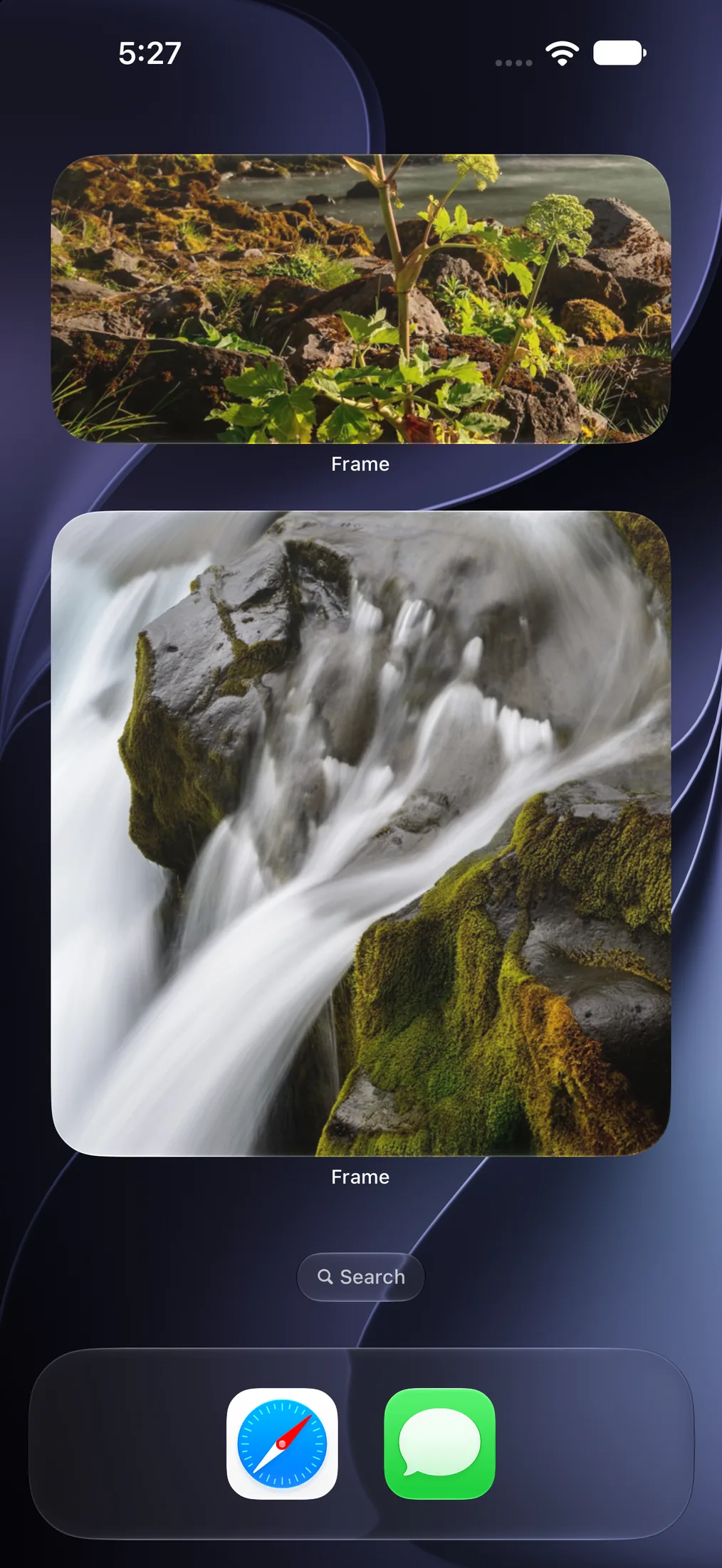
On your Home ScreenMedium and large widgets, each with its own album. 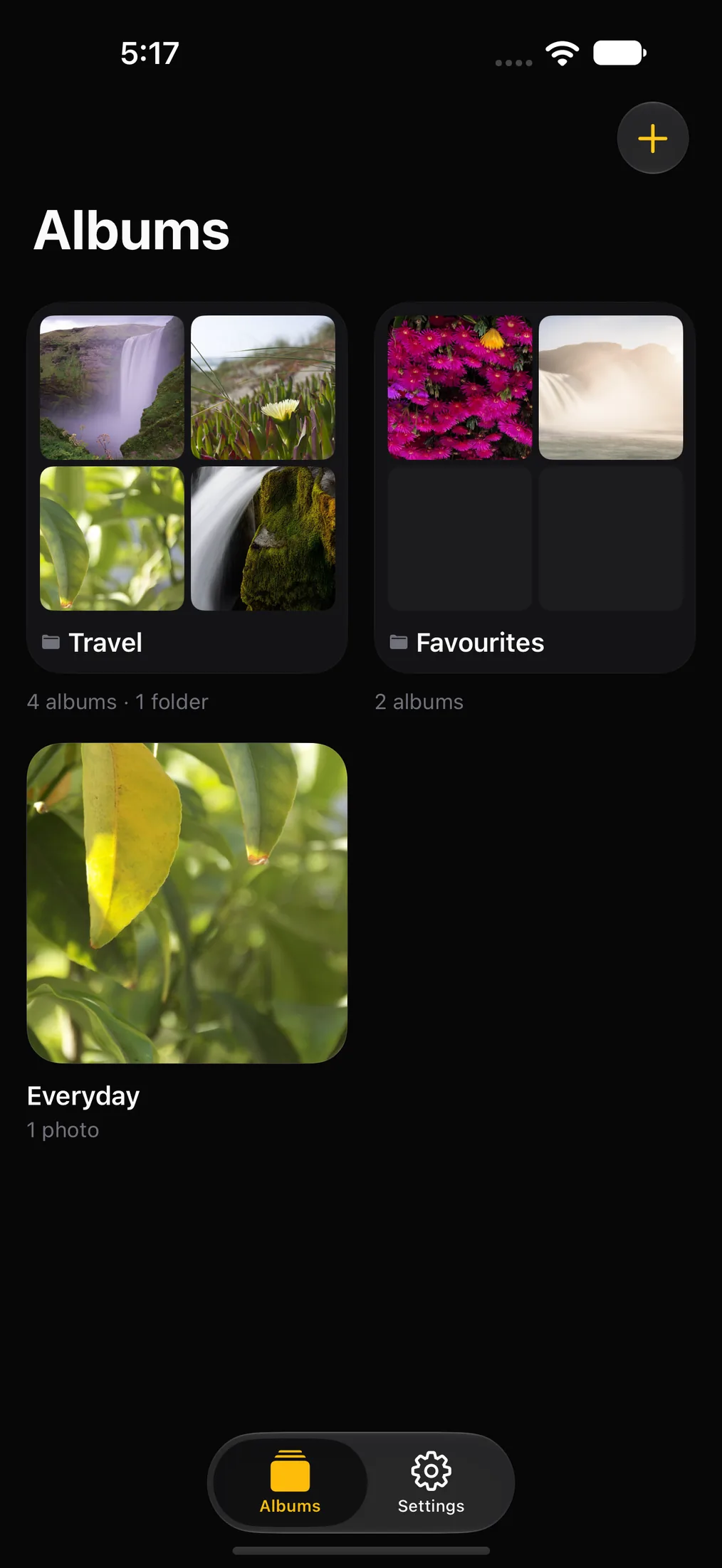
AlbumsEverything you have made, at a glance. 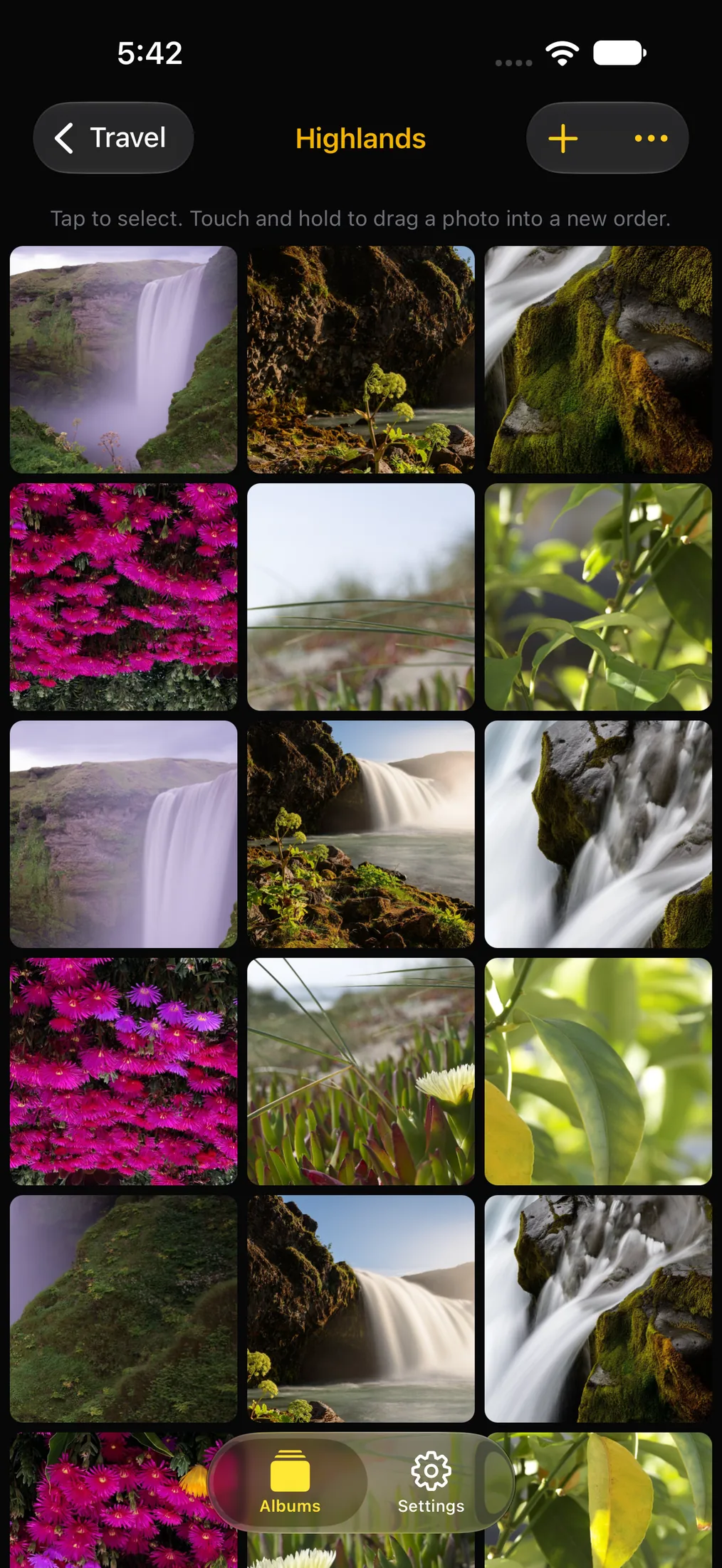
Inside an albumAs many photos as you like. Drag to reorder. 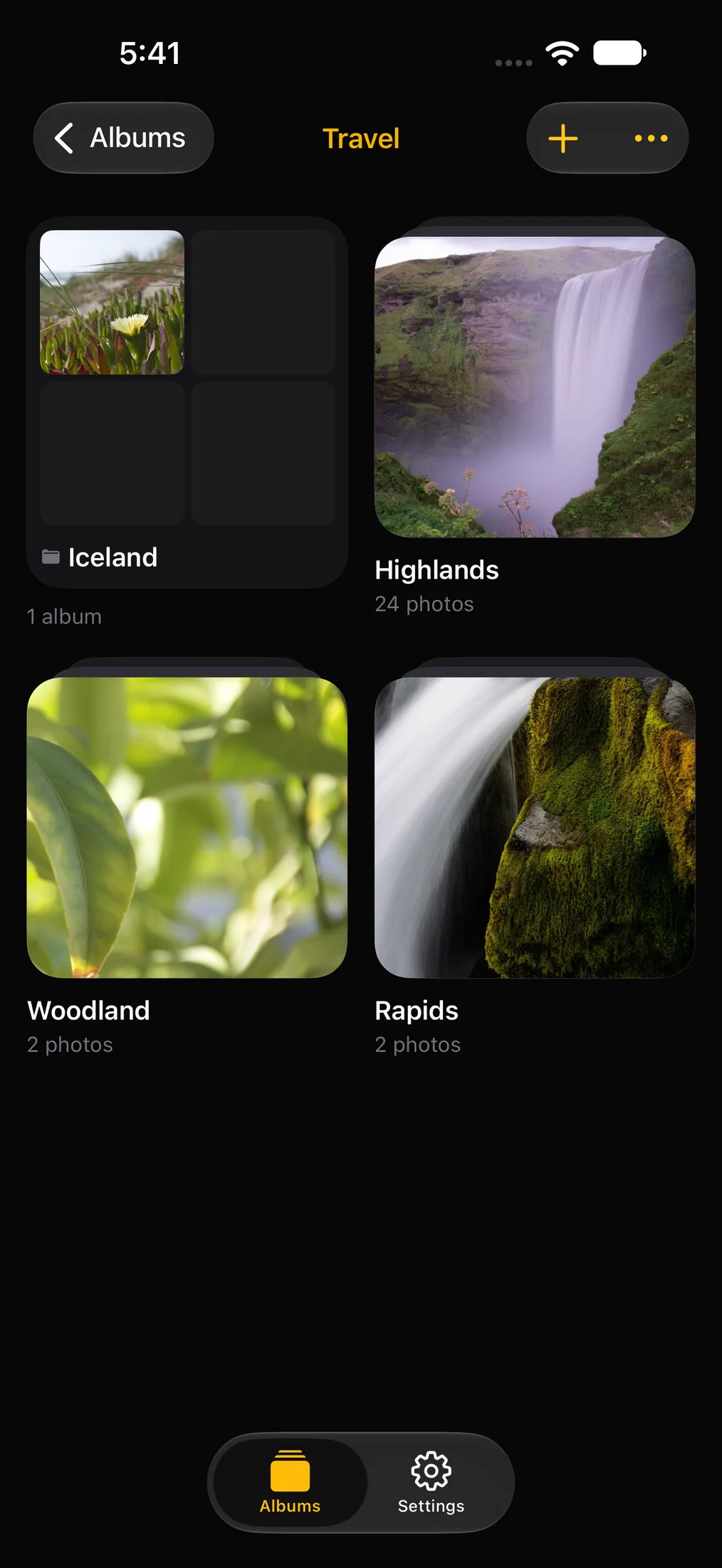
FoldersGroup albums the way Photos does. 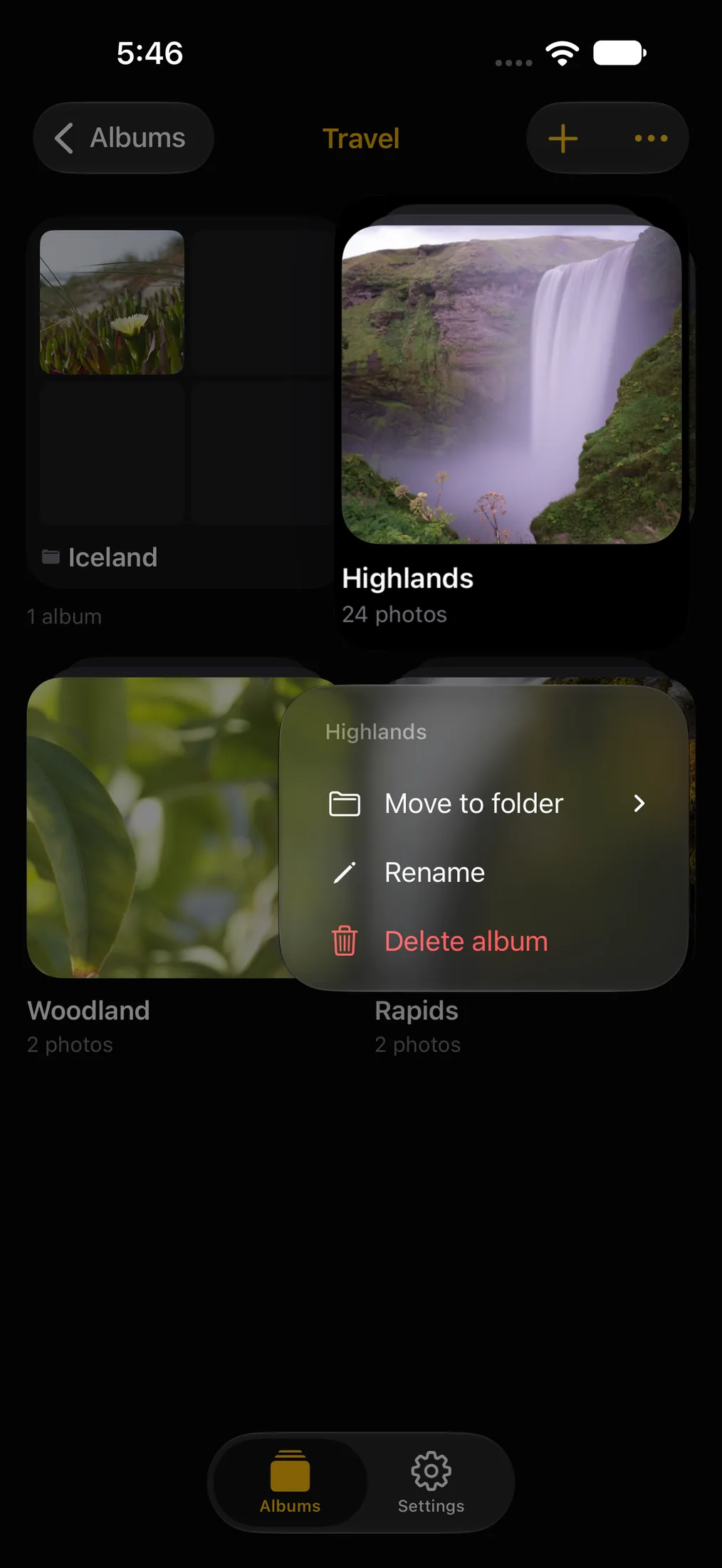
Touch and holdMove, rename or delete anything. 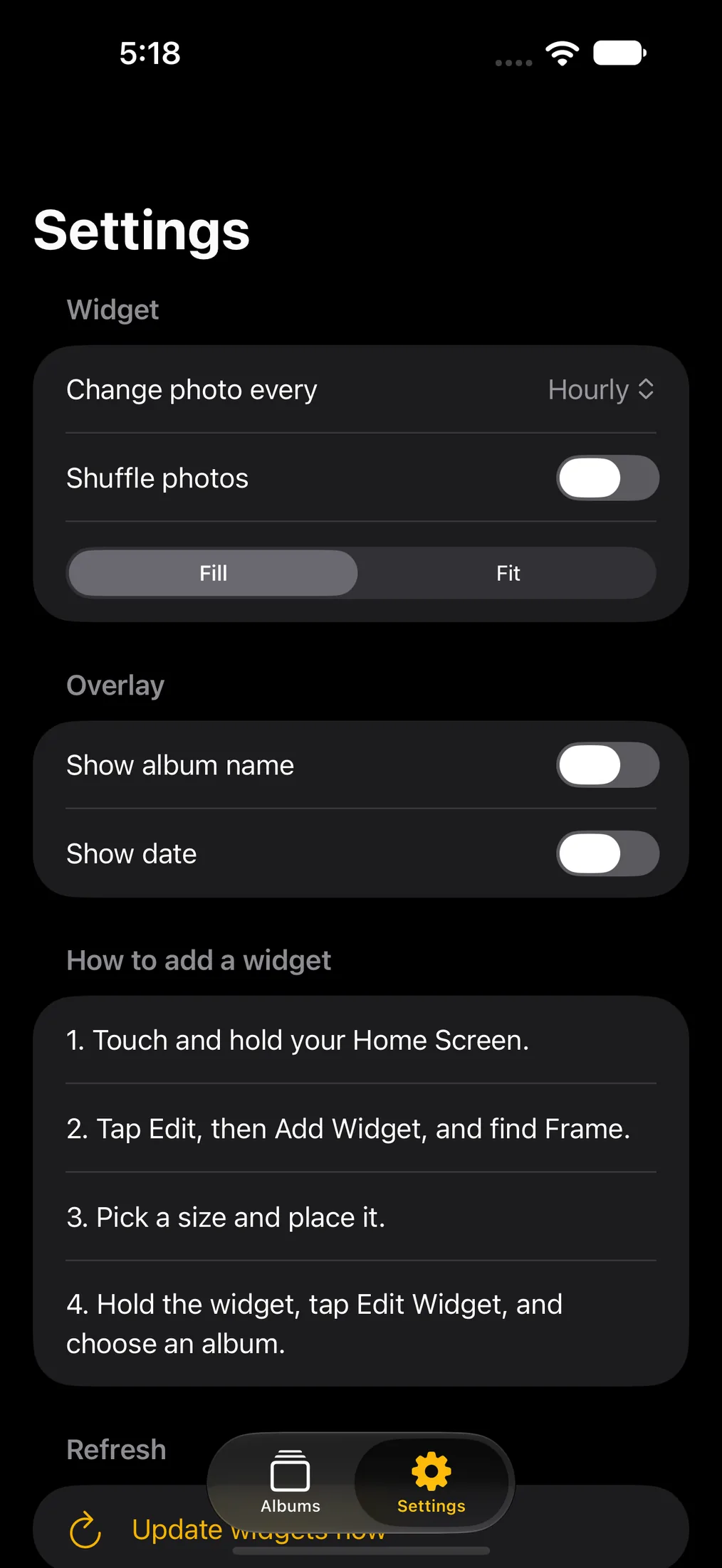
SettingsHow often photos change, and what shows on top.
The little things, all included.
- Albums for anything
- A trip, a person, a pet, a year. As many albums and photos as you want.
- Folders, like Photos
- Folders inside folders, as deep as you need. Touch and hold to move, rename or delete.
- Every widget, its own album
- Tap a widget and Frame opens the album it is showing.
- Changes on its own
- Every five minutes, fifteen, hourly, every six hours or daily. Shuffle if you like surprises.
- A caption, or none
- Show the album name or the date on the photo, or let the picture speak.
- Keeps working if you tidy up
- Frame keeps its own copy, so deleting the original never blanks a widget.

Twenty seconds to set up. Once.
- Touch and hold an empty spot on your Home Screen.
- Tap Edit, then Add Widget, and search for Frame.
- Pick a size and drop it where you want it.
- Touch and hold the widget, tap Edit Widget, and choose its album.
Private by construction
Your photos never leave your device. There is nowhere for them to go.
No account, no server and no network code. Frame keeps a resized copy of each photo in its own storage, and that is where it stays.
Only what you pick
Apple’s photo picker means Frame sees the photos you choose, never your whole library.
No one watching
No analytics, no ad SDK, no crash reporter. Nothing is counted and nothing is sent.
Nothing to sign into
No account, no email, no password. Open it and start making albums.
Put your own pictures on your own Home Screen.
It should not cost anything. It does not.
Help and FAQ